Revolutionize Your Business: Unlocking the Best MVP Development Tools
Olivia Harris – Startup Founder – In my journey, I’ve discovered the importance of choosing the right MVP development tools to ensure a successful launch.
Sep 18, 2024 | 5 Minute Read
MVP Development: Keep It Simple, Keep It Smart
Ever heard of the Minimum Viable Product (MVP)? It’s a fancy term for a simple idea—start small, learn fast, and grow smart. Let’s dive into why MVPs matter in agile development and how to nail one like a pro.
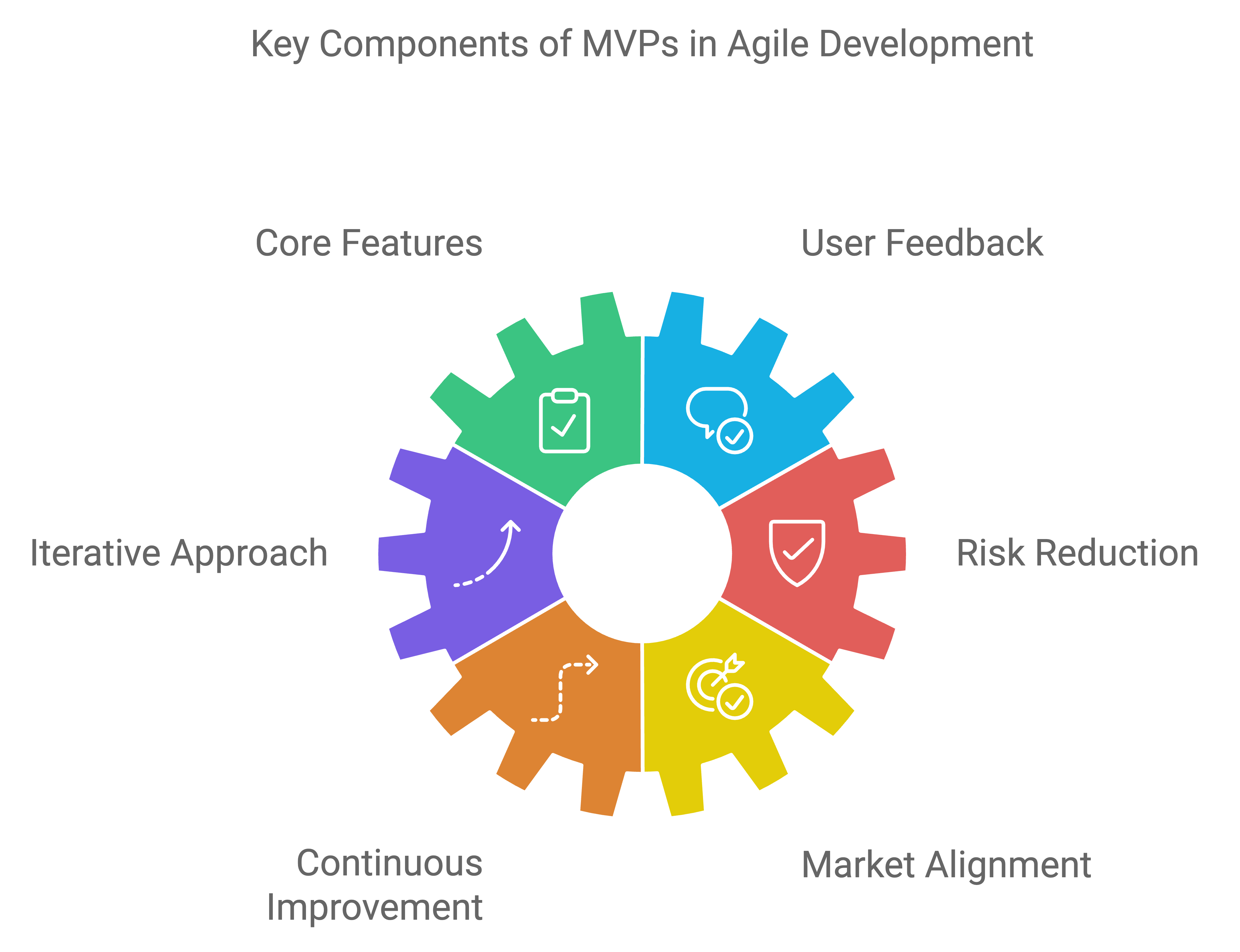
Why MVPs Matter in Agile Development
In the fast-paced world of agile development, an MVP is like your playground. Eric Ries, the guy behind “The Lean Startup,” says an MVP lets you learn loads about your customers with minimal effort. It’s all about testing the waters before diving in.
By honing in on the core features, an MVP helps businesses cut down on risks and costs while zeroing in on what users really want. When done right, this approach speeds up development and gives a clear roadmap for future upgrades. Want to learn more? Check out our take on Enterprise MVP Development.
Easy Steps to Build an MVP
Creating an MVP isn’t rocket science, but it does take some smart moves. Here’s your step-by-step guide:
Set Clear Goals: What do you want to achieve? Make sure your MVP aligns with your big-picture business plans.
Pick Core Features: Focus on the must-haves that solve your main problem. Skip the fluff; keep it lean and mean.
Do Market Research: Get to know your audience and what’s hot in the market. This helps validate your idea.
Craft User Personas: Imagine your ideal customers. What do they want? How do they behave? This makes your product more user-friendly.
Build a Prototype: Use tools like Figma or Framer for a sneak peek. It’s like a dress rehearsal before the big show.
Choose Development Tools: Pick the right tools for the job. Low-code or no-code platforms can save time and money.
Start Building: Get cracking on development. Keep it agile and be ready to make changes on the fly based on what users say.
Launch and Listen: Roll out your MVP to a select group. Gather feedback and see what works and what doesn’t.
Refine and Repeat: Use the feedback to tweak and improve. It’s a cycle—but each loop makes your product better.
| Step | What to Do |
|---|---|
| Set Goals | Align MVP with business plans |
| Core Features | Focus on essentials |
| Market Research | Know your audience |
| User Personas | Create ideal customer profiles |
| Prototype | Build a visual model |
| Dev Tools | Select the right development tools |
| Start Building | Develop with flexibility |
| Launch & Listen | Roll out MVP, gather feedback |
| Refine & Repeat | Improve based on user insights |
By keeping it simple and smart, businesses can make sure their MVP hits the mark and evolves smoothly based on real user needs.
MVP Development Tools
Let’s face it, finding the right tools for MVP development can feel like solving a Rubik’s cube. We’ve got some winners here that’ll make your life a whole lot easier.

Miro: Your Digital Whiteboard Pal
Miro is like the friend who always has paper and markers when you need them. It’s brilliant for brainstorming and designing products, helping your team stay synced and creative. Starting at just $8 a month, it’s a steal.
| Tool | Key Features | Starting Price |
|---|---|---|
| Miro | Whiteboard canvas, Collaboration, Product design | $8/month |
Mural: Master of Project Planning
Got ideas bouncing around in your head? Mural helps you organize them without losing a single one. Perfect for planning and brainstorming, it starts at $9 a month, making it a no-brainer for MVP developers.
| Tool | Key Features | Starting Price |
|---|---|---|
| Mural | Project planning, Idea organization | $9/month |
Coggle: The Mind-Mapping Wizard
When you’re bursting with ideas, Coggle helps you map ’em out. This collaborative tool is great for mind-mapping and idea-sharing, with plans between $5 and $8 per month. Easy on the wallet, too.
| Tool | Key Features | Starting Price |
|---|---|---|
| Coggle | Mind-mapping, Collaboration | $5-$8/month |
Instapage: No-Code Landing Page Guru
If you need a landing page, Instapage has your back. With gorgeous templates starting at $79 a month, it’s pricey but worth it. Convert those casual visitors into loyal fans.
| Tool | Key Features | Starting Price |
|---|---|---|
| Instapage | No-code landing pages, Stunning templates | $79/month |
Leadpages: Lead-Gen Machine
Leadpages is your ticket to building buzz and capturing leads. Starting at $37 a month, it’s perfect for startups eager to reel in early adopters.
| Tool | Key Features | Starting Price |
|---|---|---|
| Leadpages | No-code landing pages, Lead generation | $37/month |
Unbounce: AI-Powered Landing Pages
Want AI to boost your landing pages? Unbounce is where you go. It offers varying prices based on features, but it’s a game changer for conversions.
| Tool | Key Features | Starting Price |
|---|---|---|
| Unbounce | AI-enhanced landing pages, Conversion optimization | Varies |
Figma: Prototyping Playground
Figma is the Swiss army knife of prototyping. Plans range from free to $75 per month. Whether you’re alone or in a team, it’s perfect for creating interactive prototypes.
| Tool | Key Features | Starting Price |
|---|---|---|
| Figma | Prototyping, Team collaboration | Free – $75/month |
Framer: Design and Prototype Pro
Framer lets you design like a pro. With features ranging from product design to robust prototyping and costing between $5 and $30 a month, it’s suitable for designers at all levels.
| Tool | Key Features | Starting Price |
|---|---|---|
| Framer | Product design, Prototyping | $5-$30/month |
InVision: UX Rock Star
InVision’s high-fidelity prototyping makes user experiences feel real. With an entry-level free plan and an upgrade at $7.95 a month, it’s a killer deal.
| Tool | Key Features | Starting Price |
|---|---|---|
| InVision | High-fidelity prototyping, User experience design | Free – $7.95/month |
These tools can turn the MVP development grind into a streamlined, creative process. Load up your toolkit, and watch your MVP soar.
Essential-Tools-and-Resources-for-Lean-MVP-Development-copyUseful Resources: