Experience Excellence: Leading iPhone App Development Services
Olivia Harris – Startup Founder – If you’re looking for top-notch iPhone app development services, I’m here to help.
April 28, 2025 | 9 Minute Read
Hiring iPhone App Developers
If you’re venturing into the world of iPhone apps, picking the right developers can make or break your project. For startup whizzes looking to bring their app ideas to life without blowing the budget, let’s jump into the essentials of finding the perfect app wizards.
Finding the Right Development Team
Choosing a development team is like picking your dream team in fantasy football—key decisions with big outcomes. Here’s how you can tackle that selection:
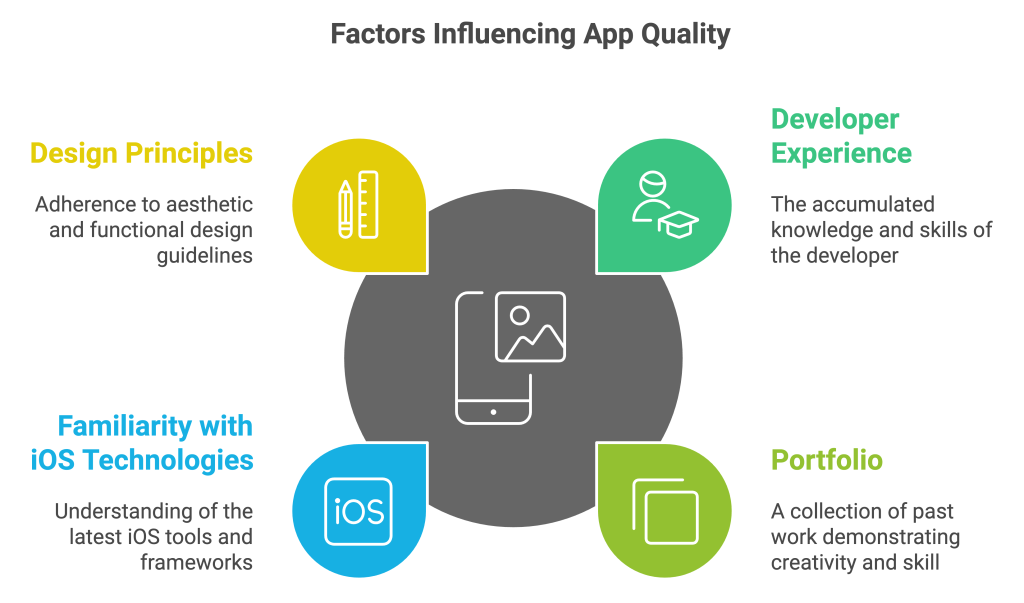
Check Their Previous Work: Delve into the portfolio of potential developers. Have they handled challenges like yours before? Are their previous apps still plodding along in the App Store, gathering stars and rave reviews? Trust in their past victories to forecast your project’s future success.
Meet Chats, Real or Screen-to-Screen: Have a tête-à-tête, whether at a local coffee shop or over Zoom. Talk about all the nitty-gritty: how they squash bugs, keep costs in check, deliver support after the app’s out, and their style in project meetings. You want folks who not only talk the talk but walk the walk.
Specialists in Your Alley: Does the developer speak the language of your industry? Whether you’re in retail, healthcare, or perhaps something off the beaten path, you want a team that gets your world and can bring out the ‘wow’ factor in your app.
Quick Team Checkpoints:
- Strong Portfolio and Case Examples
- Open Chats about Quality and Costs
- Specialists for Your Area of Focus
- Top-Notch Communication Prowess
Considerations for Expertise
Want a killer app that stands out? Here’s where to zero in on the real talent:
Mastery of iOS Tech: Your whiz team should be pros at iOS frameworks and fluent in Swift or Objective-C. Their grip on these tech tools affects the whole app game—making it play smooth, look good, and run like a dream.
UI/UX Whizzes: Everyone loves an app that’s easy to use and nice on the eyes. Look for developers who know the latest in user interface and experience trends. These are your MVPs for keeping users happy and coming back.
Apple Tool Gurus: Does the team groove with Apple’s tools like Xcode and Interface Builder? If yes, you’re in good hands. These tools ensure the app not only looks sharp but laughs in the face of performance hiccups.
Challenge Tacklers: How does the team deal when things go south? Strong problem-solving chops are a must. Peek into their past solutions and you’ll know if they’re quick on their feet.
Eager Learners: Tech moves fast. Your developers must stay ahead of the curve with a passion for the latest in app trends and technologies.
Must-Have Developer Qualities:
- Mastery of iOS Tech and Talk
- Savvy in UI/UX Design
- Pro with Apple’s Own Tools
- Ace Problem Breakdown Abilities
- Love for Learning New Tricks
Table: Key Skills for iPhone App Developers
| Skill/Knowledge Area | Importance Level |
|---|---|
| iOS Frameworks (Swift/Objective-C) | High |
| UI/UX Best Practices | High |
| Apple Development Tools | Moderate |
| Problem-Solving Skills | High |
| Continuous Learning | Moderate |
In a nutshell, picking the right iPhone app makers is essential for launching your startup’s brainchild. Explore more of our articles on mobile app development services and iOS app development services to dive deeper into this exciting journey.
Understanding iOS Development
When diving into the iPhone app world, it’s good to know the ropes of iOS development, especially for folks leading startups hunting for skilled app developers on a budget.
iOS vs. Android Development
Deciding between iOS and Android development boils down to a few key points. Let’s see how they stack up:
| Aspect | iOS Development | Android Development |
|---|---|---|
| Programming Languages | Swift, Objective-C | Java, Kotlin |
| Device Fragmentation | Lower | Higher |
| Market Share (US) | 51.2% | 48.8% |
| Market Share (Global) | 13% | 87% |
- Programming Languages: iOS apps hang out with Swift and Objective-C, while Android apps buddy up with Java and Kotlin.
- Device Fragmentation: Messing with screen sizes is less of a hassle on iOS, thanks to fewer models to handle. But Android devs have to be on their toes with all sorts of screens and gadgets.
- Market Share: iOS takes the lead in the US with 51.2% market dominance. However, Android’s got the world under its thumb with 87% in 2022. F or extra tips on app design magic, drop by our mobile app design and development services.
Unique Aspects of iPhone App Development
iPhone app development shines due to its special perks and features:
- Performance and Security: iPhone app pros make sure apps are fast and locked down tight. The way iOS hardware and software dance together ensures apps run smoothly and securely.
- Target Audience and Profitability: Folks with iPhones are often ready to shell out on in-app buys and subs. iOS apps give businesses a great way to reach their crowd, dialing up profitability.
- Programming Languages: Swift and Python are keys to crafting iPhone and iPad magic. Peek into our custom web app development services for more on these coding champs.
For a deeper dive into iPhone app development services, swing by our iOS mobile app development services.
Grasping these details helps businesses make smart moves, getting the most bang for their buck with the best mobile app development company.
Factors for Successful App Development
UX/UI Best Practices
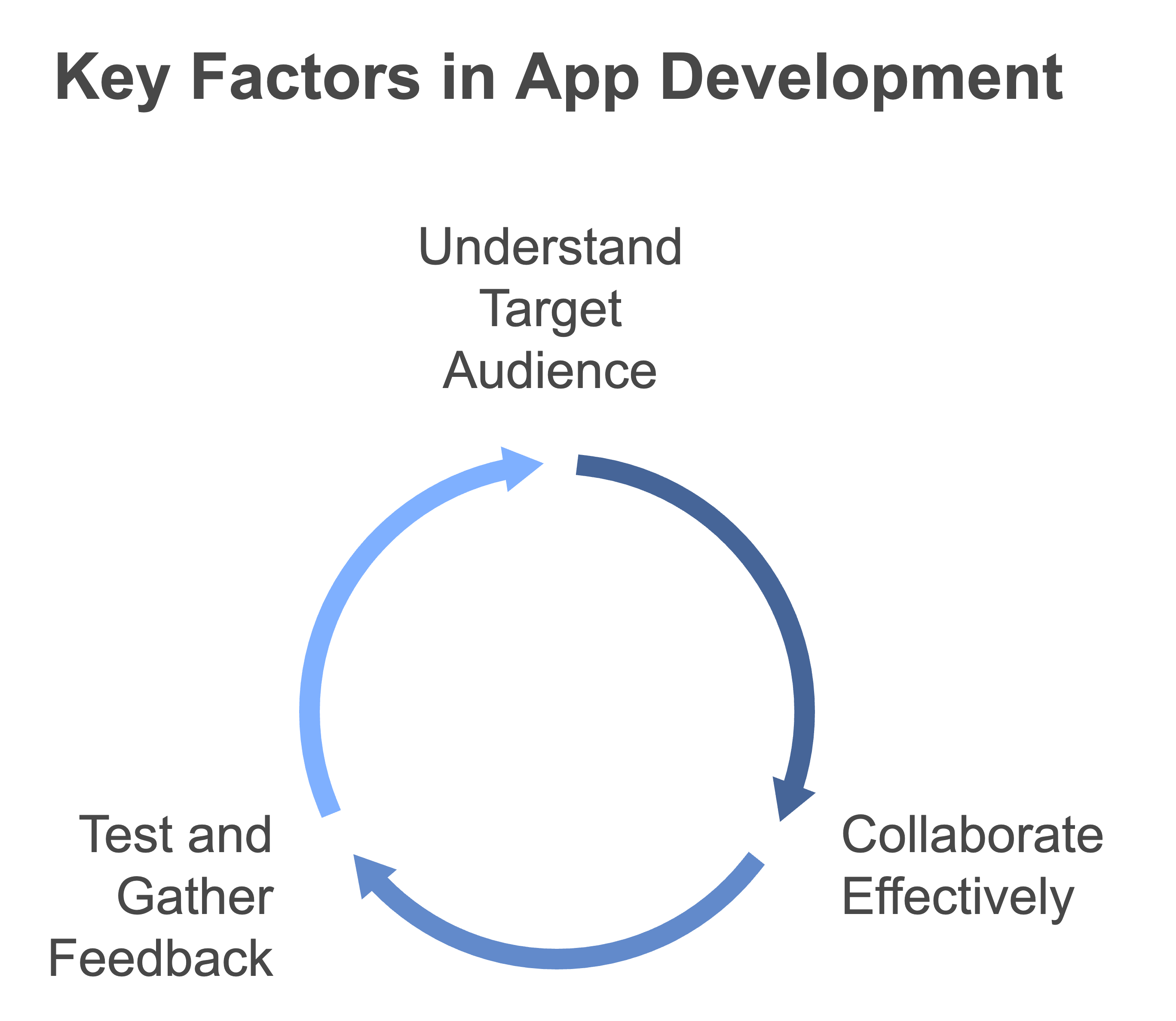
Creating a top-notch iPhone app means you’ve got to nail the user interface (UI) and user experience (UX). It’s about crafting an app that doesn’t just look good—it’s easy on the eyes and easy to use. Here’s the lowdown on making your app shine:
- Simple Navigation: Make sure users can find their way around without needing a GPS.
- Responsive Design: Your app should look and feel fab on every iPhone, no matter the model.
- Looks That Kill: Design’s not just about function—it’s got to align with what your brand is all about.
- Accessible for All: Don’t leave anyone out—get those accessibility boxes ticked.
- User Feedback: Keep users in the loop with things like loading spinners and error alerts.
| UX/UI Factors | Importance Level |
|---|---|
| Simple Navigation | High |
| Responsive Design | High |
| Looks That Kill | Medium |
| Accessible for All | High |
| User Feedback | Medium |
When you make users happy, they stick around and keep tapping. Spill everything you know and dive deeper into our mobile app design and development services.
Custom Development Needs
If you need an iPhone app built just for you, custom development is where it’s at. It means your app plays nicely with existing systems, brings the goods with unique functions, and hits all your business goals.
Every business has its own checklist when it comes to custom development. Here are some go-tos:
- Playing Well with Others: Your app’s got to be a team player with other tools and systems.
- Future-Proofing: If your business grows, your app should too, without breaking a sweat.
- Top-Grade Security: Keep the sensitive stuff under lock and key.
- Smooth Moves: Whether it’s a quiet day or a busy one, your app should run like a dream.
- Features that Fit: Your app should have special features that speak the language of your business.
For the full scoop on tailored solutions, take a look at our custom app development services.
| Custom Development Factors | Importance Level |
|---|---|
| Playing Well with Others | High |
| Future-Proofing | High |
| Top-Grade Security | High |
| Smooth Moves | Medium |
| Features that Fit | High |
When you nail down these points, you end up with an iPhone app that’s a hit with both the suits and the users. Want more? Check out our extended solutions, like options that play nice across platforms, at our cross-platform mobile app development services.
Choosing the Best Development Agency
Picking the right folks for your iPhone app development treat is kinda like choosing the team for your startup’s grand adventure. Let’s face it, the stakes are high. What you really want are people who know their stuff and can bring your app dreams to life without turning it into a nightmare.
Portfolio and Previous Clients
Peek into an agency’s past work; it’s like getting a sneak preview of what they can bring to the table. Their portfolio kinda spills the beans on how they handle curveballs and turn ideas into cool, user-friendly apps. Dive into case studies to check the nitty gritty of their skillset.
Consider these nuggets while scoping a portfolio:
- What types of apps they’ve whipped up (think shopping, doctor chats, money-tracking)
- The flashiness and brain-power packed into their past gigs
- Their knack for churning out something great each time
Don’t forget to snoop on what ex-clients say. When those folks beam with delight about their experience, it’s a pretty good sign the agency knows their onions.
| Agency Name | Number of Apps Cooked Up | Big Clients | Client Happiness Score |
|---|---|---|---|
| AppDev Pros | 150+ | Pharma Corp, EduTech | 4.8/5 |
| GoMobile Solutions | 200+ | Retail Giant, HealthNow | 4.7/5 |
| InnovateTech | 100+ | FinServe, ShopEase | 4.6/5 |
Poke around our pages on custom app development goodness and healthcare app creativity if you’re thirsty for more.
Reviews and Reputation
The word on the street counts. Check out places like Clutch and GoodFirms to see how an agency’s glossary stacks up. Here’s what you should peek at:
- How many stars they rack up and how many reviews chatter about them
- The tales clients tell
- Shiny awards and pats on the back
A steady stream of sunny reviews gives you clues about what the agency nails—smooth talking, ninja-like management, and a knack for not going AWOL post-launch.
| Review Hub | Agency Name | Star Rating | Review Volume |
|---|---|---|---|
| Clutch | AppDev Pros | 4.9/5 | 75 |
| GoodFirms | GoMobile Solutions | 4.8/5 | 60 |
| Trustpilot | InnovateTech | 4.7/5 | 50 |
Smoosh these tidbits together—scorecards, client buzz, and street cred—and you’ll have a clearer map for finding the iPhone app squad that vibes with your startup’s dreams and schemes.
Useful Resources:
FAQ
1. How much does iOS app development cost?
- Cost Range:
- A basic iOS app with limited features: $10,000–$50,000.
- Medium complexity apps with custom UI/UX, integrations: $50,000–$100,000.
- Advanced apps with AI/ML, AR/VR, or complex APIs: $100,000+.
- Factors Affecting Cost:
- Features and functionality complexity.
- Development team location (developers in the US or Europe cost more than those in Asia).
- Maintenance and updates after launch (usually 15–20% of the initial cost annually).
2. Which company is best for iOS application development?
- Top iOS App Development Companies:
- Toptal: Known for top-tier freelance developers for iOS apps.
- WillowTree: Specializes in building scalable iOS apps.
- Fueled: Offers custom app solutions for startups and enterprises.
- Intellectsoft: Known for enterprise-level app development.
- Factors to Consider:
- Look for companies with proven experience in iOS app development.
- Check portfolios and client reviews.
- Ensure they offer post-launch support and maintenance.
3. How do you develop apps for iPhone?
To develop iOS apps, follow these steps:
- Set Up Your Environment:
- Use a Mac computer with macOS.
- Install Xcode, Apple’s official IDE for iOS app development.
- Learn Programming:
- Swift is the preferred programming language for iOS development.
- Alternatively, Objective-C is also supported.
- Design the App:
- Use Interface Builder in Xcode or tools like Figma to design the user interface.
- Code the App:
- Write your app’s logic and functionality using Swift or Objective-C.
- Leverage APIs like Core Data, Core ML, or ARKit if needed.
- Test Your App:
- Use Xcode’s simulator or test on physical iOS devices.
- Submit to App Store:
- Register for the Apple Developer Program ($99/year).
- Submit the app for review and publishing on the App Store.
4. Can I develop iOS apps without paying?
- Yes, but with limitations:
- You can use Xcode for free to build and test apps on a simulator.
- Without an Apple Developer Program membership:
- You cannot deploy apps to real devices for testing.
- You cannot publish apps on the App Store.
- How to Develop for Free:
- Use Xcode Playground to experiment with Swift.
- Test apps on Xcode’s built-in simulator.
- Enroll in the Developer Program later if you want to distribute the app.