Fueling Success: My Experience with MVP Web Development
Liam Hayes – Startup Founder – In this article, we will discuss the essentials of web development MVP and how to build a successful MVP.
Sep 6, 2024 | 8 Minute Read
MVP Web Development: A Hands-On Journey
Building a Minimum Viable Product (MVP) is like making sure you can ride a bike before entering the Tour de France. For startups and business owners, it is a way to hit the market fast and on a budget. An MVP zeroes in on the basic features that address what your early users really care about—think of it as a taste-test that lets you know if you are whipping up something tasty or just another kitchen disaster.
Here is the lowdown from my own adventures in MVP land:
- Save Bucks: By keeping it simple, you cut costs. No need to drain your bank account to build a spaceship when a bicycle will do.
- Avoid Meltdowns: An MVP lets you dip a toe in the water rather then diving in headfirst. Test the waters before betting the farm.
- Win Over Investors: It is easier to get money when you’ve got something to show. An MVP—the functional kind, not the vaporware variety—helps you get that dough.
- Get the Inside Scoop: Early users will tell you what’s hot and what’s not. This cheat sheet from your user base means you can tweak, tune, and go back for round too.
MVPs That Hit Paydirt
Look, how a bunch of big names started with an MVP. Here are a few rockstars:
- Dropbox: Before Dropbox was an cloud behemoth, it was a simple video showing off what it could do. This clip was worth a thousand lines of code, helping to attract users without building a full app upfront.
- Airbnb: Before taking over the world, Airbnb begun with renting out just one room. This test proved there was a market for short-term rentals.
- Zappos: Picture this—Zappos’ founder snapped pictures of shoes from local stores to see if people would buy them online. Once he saw that folks was interested, Zappos became a major online player.
These MVPs didn’t just save on costs, they gave these companies a roadmap based on real user input. For more resources, check out our blog on MVPs in software development and MVP development services.
By keeping things simple and listening to your audience, an MVP isn’t just a low-risk move, it is a smart way to build products that people might actually love. This would help you save money, get honest feedback, and steer your ship towards the right direction, ensuring success in a crowded market.
How to Build a Successful MVP
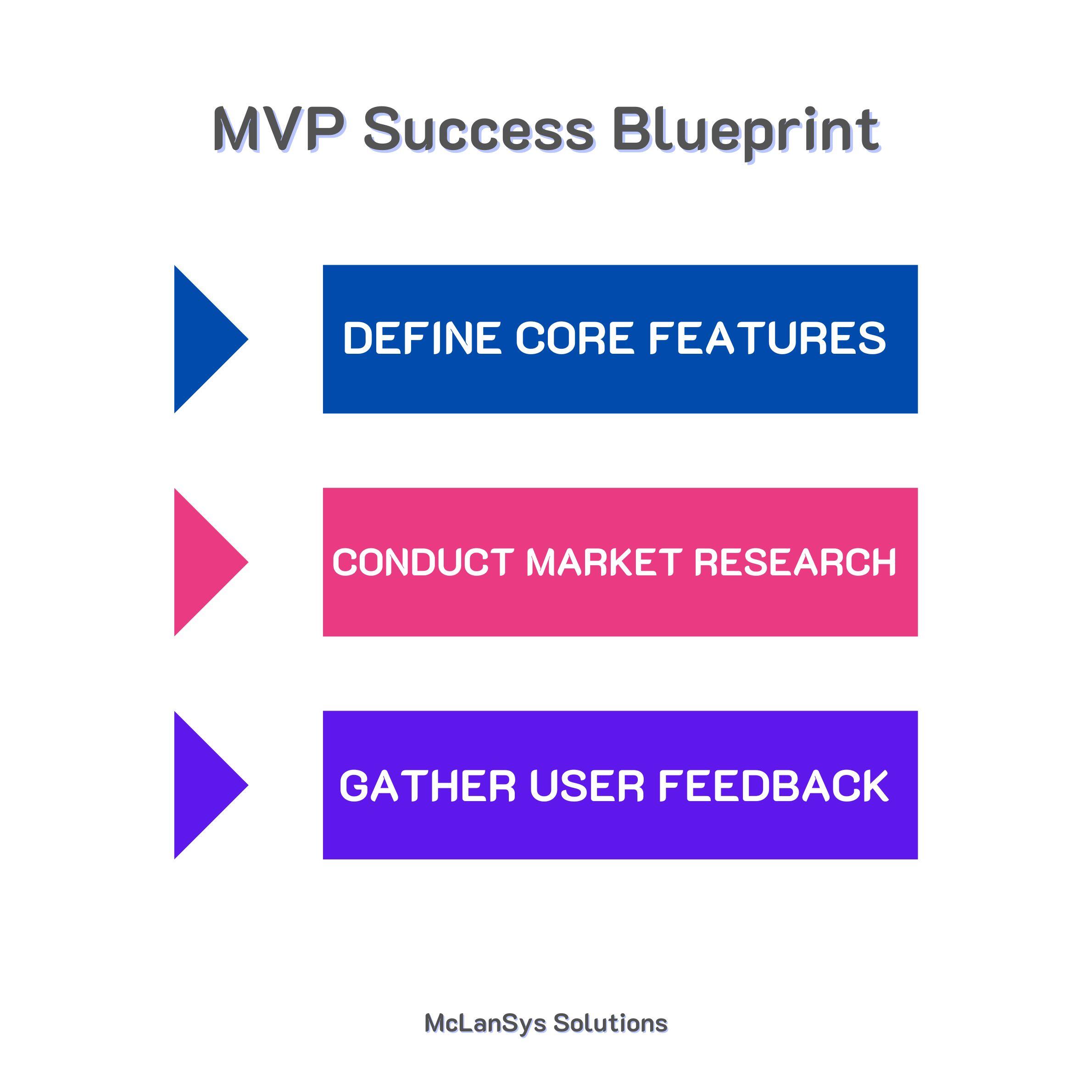
Creating a minimum viable product (MVP) for web development has been a game-changer. It let me test key web features and get crucial user feedback. Now let’s talk about defining core features, using market research and user input to build a winning web development MVP.
1. Defining Core Features
First things first: we have to pinpoint the core features that tackle a specific problem. Here’s the trick—focus on must-have functionalities that hits your business goals and solves user issues. The 80/20 rule is my go-to—which is where 20% of features often meet 80% of user needs. This keeps me focused on what really matters.
Here’s my playbook for defining core features:
- Identify Business Needs: What is the MVP’s main goal? What problem does it solve?
- Map User Journey: How will users interact with the MVP?
- Prioritize Features: Zero in on essential functionalities.
- Benchmark Against Existing Solutions: Learn from competitors and tweak better.
| Core Feature | User Problem Addressed | Priority |
|---|---|---|
| User Authentication | Secure access to personal accounts | High |
| Search Functionality | Quick and efficient data retrieval | High |
| Shopping Cart | Simplified purchase process | Medium |
By sticking to these core features, the MVP attracts users and offers plenty of room for improvements.
2. Market Research
- Talk to Stakeholders: Chat with investors, users, and industry gurus for insights into user needs.
- Do a Competitive Analysis: Study competitors to see what works and what bombs.
- Surveys and Interviews: Get raw, qualitative data from potential users about their pain points.
3. User Feedback
User feedback is a treasure trove during MVP development. Here’s how I gather it:
- Beta Testing: Launch the MVP to a select group and get their take.
- A/B Testing: Test different versions of a feature to see which one clicks.
- User Analytics: Monitor how users interact with the MVP to uncover user behavior patterns.
| Feedback Source | Method | Outcome |
|---|---|---|
| Beta Testers | User Surveys | Found usability issues |
| A/B Testing | Split Tests | Pinpointed the best feature layout |
| User Analytics | Heatmaps, Click Tracking | Highlighted popular and ignored features |
Blending insights from market research and user feedback help validate ideas, polish core features, and make sure the MVP syncs with user needs.
Building a standout MVP is all about iterating. Focus on core features, dive into market research, and keep tweaking based on user feedback.
MVP Development Strategies
1. Lean Startup Methodology
When I kicked off my web development MVP, I leaned heavily on the Lean Startup methodology by Eric Ries. This aims to cut out the fluff in the development process, making sure every feature is a keeper. Borrowing from lean manufacturing and agile development, this method emphasizes on building a product bit by bit and learning from user feedback.
Focusing on what my target audience really need, and dropping the extra baggage, helped me streamline the process. The 80/20 rule was a game-changer. It say 20% of features will satisfy 80% of user needs. By nailing down these core features, I built a functional MVP without giving my development team gray hairs.
Here’s a quick table of the key points I focused on:
| Key Aspect | Details |
|---|---|
| Core Features | Pinpointing the 20% of features that deliver 80% of the value |
| Waste Elimination | Only adding features that matter |
| User Feedback | Prioritizing based on what users really want |
2. Continuous Improvement through Iteration
Another strategy I relied on was continuous improvement through iteration. This focuses on short cycles and frequent releases (LinkedIn). The idea is to get a functional MVP into users hands ASAP and then tweak it based on their feedback.
Here’s a breakdown of how I tackle the iterations:
| Iteration Stage | Focus Area | Key Actions |
|---|---|---|
| Initial Release | Core Features | Shipped out essential features |
| User Feedback | Usability | Gathered real feedback from users |
| Enhancement | New Features | Introduced features based on what users liked/disliked |
This iterative process helped me validate product assumptions quickly. Instead of wasting time on features users might not want, every tweak was based on real data.
For more nitty-gritty details, check out the section on MVP for software development on our website.
By mixing Lean Startup and iterative improvement strategies, I crafted a web development MVP that was not only functional but also hit the sweet spot for my target audience.
Key Elements of Building Your MVP
1. Know Your People
When you are putting together a Minimum Viable Product (MVP), step one is figuring out who is gonna love this thing. Later on, I’m focused about understanding who my core users are. This means digging into market research and listening to what potential users might potentially want. By zoning in on a specific crowd, I make sure the MVP tackles real needs and solves actual problems.
Here’s my method for nailing down the target audience:
- Demographic Facts: What is their age, gender, income, education, and where do they live?
- Psychographic Stuff: What are their vibes, hobbies, attitudes, lifestyles?
- Behavioral Bits: How do they surf the web, shop, and use products?
Knowing your people makes it easier to build something they’ll actually want to use. These insights are gold for your MVP development.
2. Make It User-Friendly
Designing the MVP? It is all about the users. My goal is to create something that is not just functional but also a joy to use. Stick to user-centered design, and the rest will follow.
Key parts of user-friendly design are:
- Keeping It Simple: No clutter, just the essentials.
- Making It Accessible: Everyone should be able to use it, no matter what.
- Easy Feedback: Built-in ways for users to shout out their thoughts and ideas.
If the MVP is gonna make waves, its gotta bring core value, pull in early adopters, and work as a real-time learning tool.
A user-friendly design table might look like this:
| Design Part | Focus |
|---|---|
| Simplicity | Bare-bones interface, key functions only |
| Accessibility | Good color contrast, usable by screen readers |
| Feedback | In-app surveys, quick suggestion spots |
By focusing in on these elements, the MVP should click with users, giving you solid pointers for tweaks and improvements.
Knowing your audience and focusing on user-friendly design is essential if you want your web MVP to shine. These strategies helps set you up to create a minimum viable product that’s not just useful but downright exciting for everyone.